

Most software setups start with good intentions. You pick ClickUp to track client projects, Google Sheets to monitor pipeline revenue or project budgets, and an inbox to talk to clients. Within three months, you realise none of these tools talk to each other without you sitting in the middle. When founders search for ways to connect ClickUp email and spreadsheets, they usually expect a hidden toggle or an out-of-the-box integration button. It does not exist, at least not in a way that handles the messy reality of daily business.
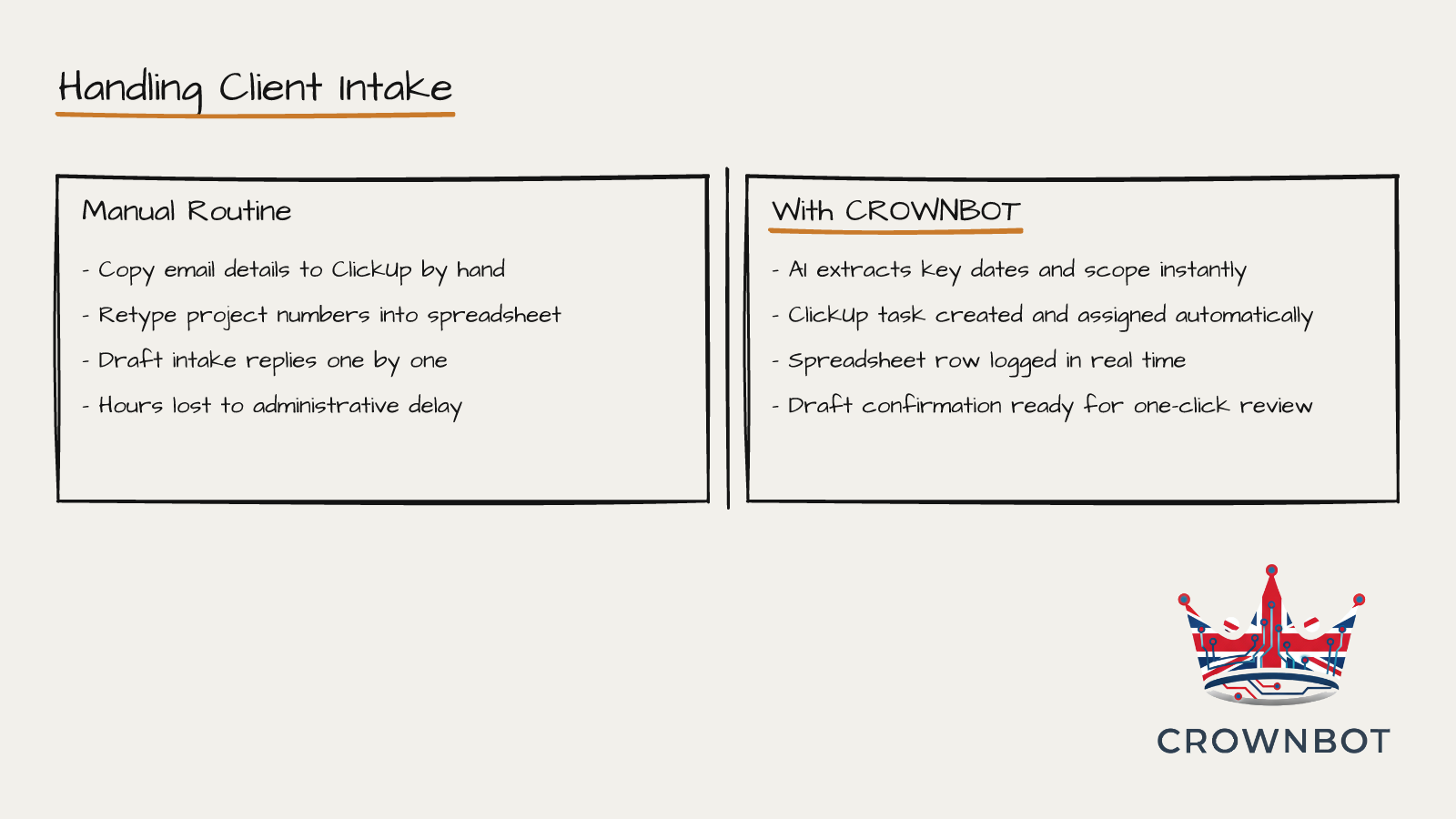
So you do it yourself. A client emails you a project brief on Tuesday morning. You open the email, read it, copy the client name, open ClickUp, create a new task, paste the details into the description, set a due date, switch to your tracking spreadsheet, and type the numbers into row 47.
It takes three minutes. But you do it six times a day. If you calculate the hours, you spend roughly two full working days every month doing work a script could do in four seconds.
The human patch cable
Software companies love to advertise that their tools integrate with everything. What they mean is that their product has an open doorway (an API, which is just a set of rules allowing programs to exchange information). They leave building the actual hallway between those doors to you.
Because you do not have an in-house developer to write code, you become the hallway. You copy and paste text. You re-enter client retainers. You update task statuses manually so your team knows what to work on.
This is annoying, but the boredom is not the real danger. The real danger is fatigue. When you are tired at 4:30 PM on a Thursday, you paste the wrong job number into ClickUp or forget to update the tracking sheet entirely. Two weeks later, nobody invoices the client for extra scope because the spreadsheet row was never created. That simple omission costs actual money.
If you want to stop double handling admin, buying another piece of software is rarely the answer. You do not need an enterprise system. You just need to join up what you already have.
Why buying another tool makes it worse
When this manual data entry becomes unbearable, founders usually make one of two mistakes.
The first mistake is hunting for an all-in-one platform. You decide to ditch ClickUp, abandon your spreadsheets, and migrate your whole business to an expensive bespoke tool that promises to handle CRM, email, projects, and finance all in one place. These migrations take three months, disrupt your team, cost thousands, and usually end up doing three things poorly instead of one thing well.
The second mistake is trying to connect ClickUp and Google Sheets without coding by following four-year-old video tutorials on generic automation tools. You spend your weekend looking at confusing trigger blocks, get halfway through a setup, hit an authentication error, and abandon the tab in frustration.
Neither route fixes the root issue. The problem is not your choice of software. ClickUp is good at project tracking. Google Sheets is good at flexible numbers. Your inbox is where people talk to you. The problem is the silent, repetitive work needed to keep them synchronised.
What background automation actually does
Fixing this does not require a giant software overhaul. It requires a quiet automation running in the background that watches for events and handles the handoffs.
Here is how that works in plain terms.
An event happens: a client sends an email to your project address or fills out an intake form.
Instead of sitting in your inbox waiting for you to spot it, a background system catches it immediately. We use AI to read the incoming text, understand context, pull out the important data (the client name, the agreed budget, the requested delivery date, and the project scope), and sort it cleanly.
This is a ClickUp inbox triage automation running silently on a private server. The system automatically creates the ClickUp task on the right board, applies the correct tag, assigns the right team member, and enters the financial breakdown into your spreadsheet. No human hands touched it. The task is ready for your team before you have finished your first morning tea.
A worked example from a six-person consultancy
To see what this looks like in practice, take an environmental consultancy we worked with recently. Five consultants and one managing director.
Every week, they received roughly 15 project requests via email from municipal councils and private builders. Each email contained a PDF attachment with site specs, a deadline, and a project reference code.
The director had a fixed routine:
- Download the PDF and scan for key figures.
- Open ClickUp, create a project task, set custom fields for the site location and deadline.
- Copy the project code into a central Google Sheet that tracked surveyor capacity and billing.
- Draft a standard confirmation email letting the client know the job was logged.
Each intake took about 14 minutes. Across 15 requests, that was 3.5 hours every week spent strictly on data entry. Worse, the consultants often sat idle on Monday mornings waiting for the director to process the weekend inbox.
We set up a simple pipeline. When a brief arrives, an automated script runs. It reads the email and attachment, extracts the site data, creates the ClickUp task under the correct council folder, writes a new row to the capacity spreadsheet, and leaves a draft reply in the director's email for a one-click send.
The director went from 14 minutes of repetitive typing per project down to 20 seconds of approving a draft. That freed up nearly 14 hours a month. It completely eliminated the Monday morning bottleneck.
Where this breaks down
We should be candid about what this kind of automation cannot do.
Automation does not fix a messy or undefined process. If you do not know how you want an email handled, software cannot guess. If a client sends a two-minute voice note on WhatsApp with three conflicting requests and no clear deadline, an automated pipeline cannot make an executive decision for you. You will still need to step in and apply human judgement.
It also does not mean you should fire your administrative staff. It means your administrative staff can stop copying emails into ClickUp and spend their time talking to clients, solving problems, and doing work that actually demands a brain.
Getting out of the middle
If you find yourself copying data across three screens this week, treat it as a clear signal. You are performing work that a computer should be doing on your behalf.
You do not need an IT department to solve this. You do not need to replace the tools your team already likes using. You just need to build the missing bridges between them so you can step out of the loop entirely.
If you want us to look at the three tools you are shuttling data between and tell you exactly how to automate the handoff, you can pick a time on our calendar.